
Get set up on TradingView
TradingView is where you chart and track your trades. It's free, and you never put in a card. Here's how to start, in three steps.
-
01
Make a free account
Go to tradingview.com and hit Get started. Sign up with your email or Google. No cost, no card.
Open TradingView →
-
02
Open your first chart
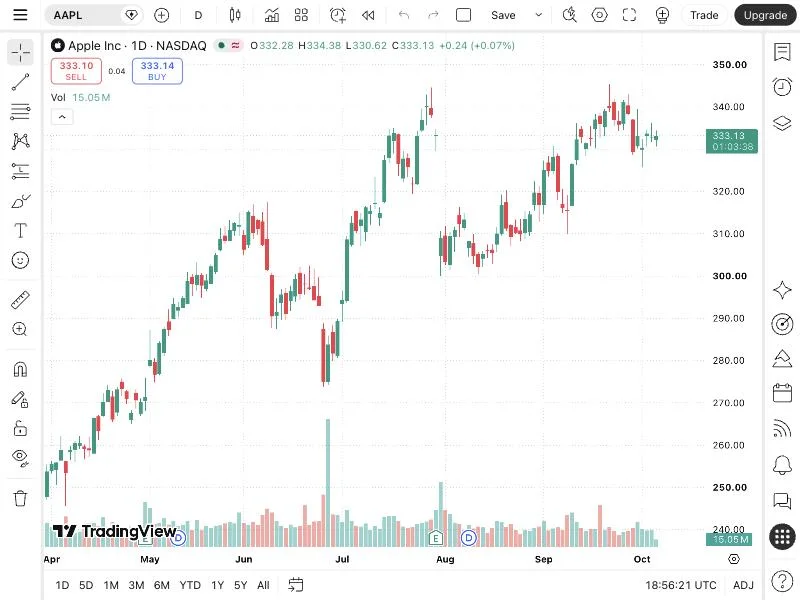
Search any ticker, like AAPL for Apple. Each candle is one day. Green means the price went up, red means it went down.
-
03
Turn on paper trading
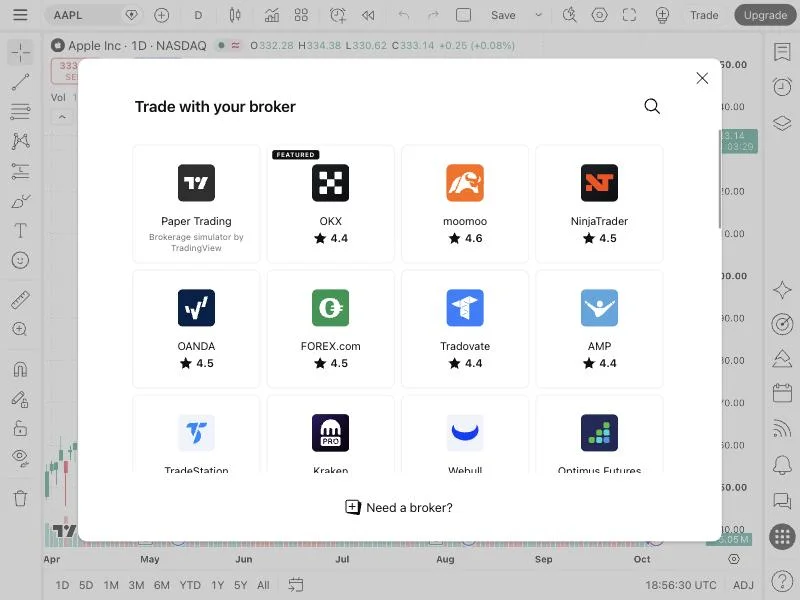
Click Trade, then pick Paper Trading. You get fake cash to practice with. This is what we use all season, so no real money is ever at risk.
That's it. Now join LIFT.
Join LIFT